 LifeMap
Clear the Fog, One Street at a Time.
Everywhere you go lifts the fog. See how much of your city you have really explored.
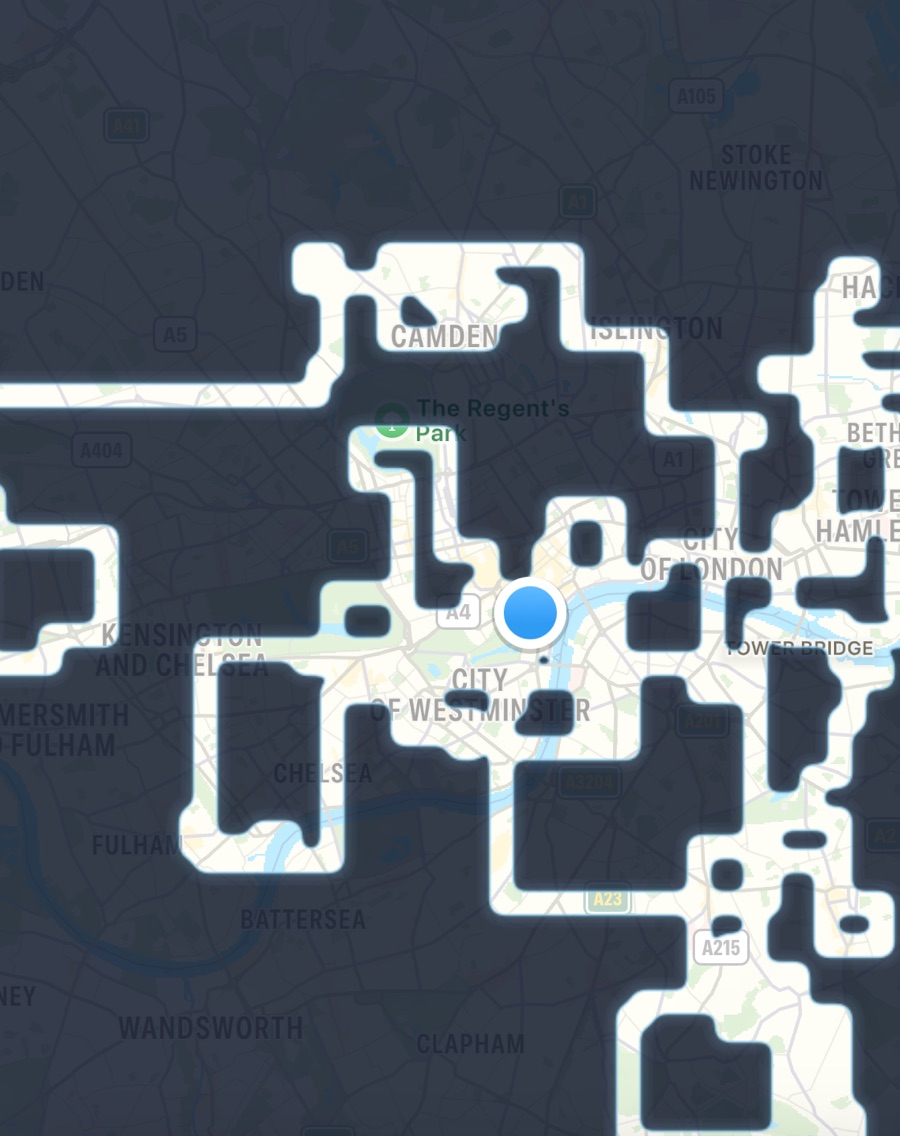
LifeMap quietly records where you go, all day. Your walks, stays, trains, flights and photos come back as a map of your life, worked out on your iPhone and never uploaded.



Records ItselfAll day, every day

No Start, No StopJust live your day

100% On Your iPhoneNever uploaded
Put your phone in your pocket and live your day. LifeMap works out what you were doing from how you moved.
 StaysHome, the office, the café you keep going back to.
 WalksEvery step, measured honestly, without the GPS wobble.
 TransportationCar, bus and metro, drawn as one clean line.
 TrainsRecognised from speed and stations, start to finish.
 FlightsAirport to airport, with local times at both ends.
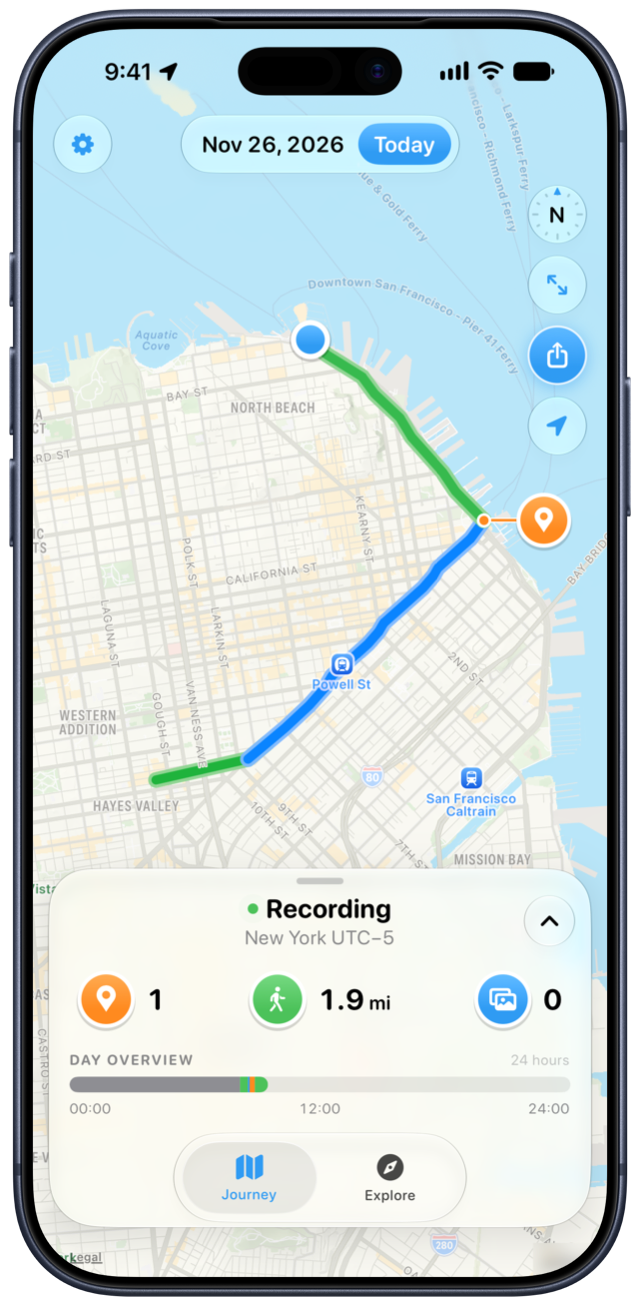
 Journey
Open any day and see where it went: the route on the map, a timeline of every stay and trip, and your photos sitting right where you took them.
 Explore
 gathers everything you've lived: the streets you've uncovered, how far you've walked, the cities and countries you've reached, your standout days and every flight.

Your Journey, Unfolding over Time.
The Days That Became Part of Your Story.
Every Line You’ve Drawn Across the Sky.

Every day adds to the picture. Explore turns years of ordinary days into something you'll want to look back on.
Everywhere you go lifts the fog. See how much of your city you have really explored.
Days recorded, distance walked, cities and countries reached, each closing in on its next goal.
Next Milestone2,000 Days
174 to GoYour longest walk, your most photographed day, the first time you set foot in a new country.
Routes, airports, distance flown and hours in the air, drawn on one map.
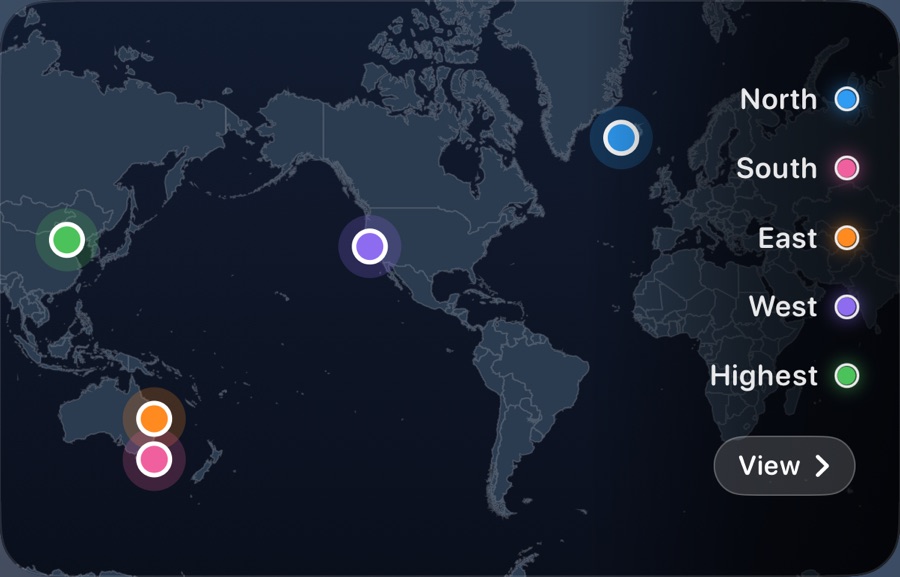
Your northernmost, southernmost, easternmost, westernmost and highest points.
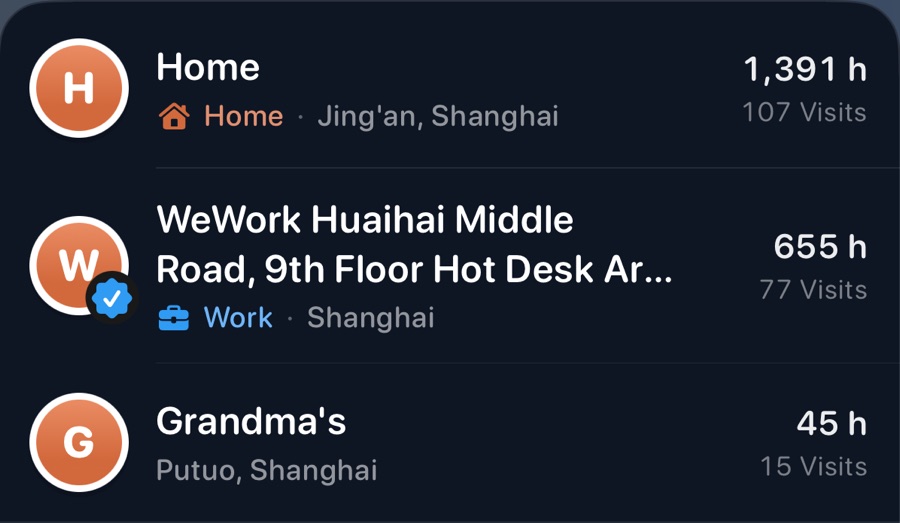
Hours spent and visits at each one, named by you or by Apple Maps.
Turn a day into a sticker, or a year into a poster. LifeMap draws them right on your iPhone. Save or copy, and post wherever you like.
 StickersSix see-through stickers of your day's route and stats, ready to drop on a photo.
 PostersYour city, your flights, your edges of the world, portrait or landscape.
 Nothing UploadedDrawn on your iPhone. Save it or copy it; where it goes is up to you.
Where you go is about as personal as data gets. So LifeMap was built to work without a cloud.

Recognising stays, walks, trains and flights happens on the device. Your history is never uploaded to us.
Your journeys, places and photos are saved on your iPhone, not on our servers.

We don't sell data, show ads or use your history to train AI. Read the Privacy Policy.
On your iPhone. LifeMap works out your stays, routes and trips on the device. We have no servers holding your journeys, photos or places, and you don't need an account.
So it can keep recording while your phone is in your pocket and the app is closed. With "While Using" only, LifeMap records just while it's open on screen. Precise Location keeps walks and routes accurate. You can change this any time in iOS Settings.
To place the photos you took along each day's route, matched by time and place, right on your iPhone. Photos are never uploaded or copied out. Photo access is optional; recording works without it.
LifeMap uses iOS's low-power location features and backs off when you're not moving, so the daily cost stays small. Low Power Mode and force-quitting the app can pause recording.
Only what maps need. Map tiles and place names come from Apple Maps, and when you name a place LifeMap can ask Apple Maps for businesses nearby. The app also checks a small file on this website for announcements. None of these include your history.
LifeMap records every day for free and lets you look back over the last 14 days. LifeMap Pro unlocks your full history and starts with a free trial.
News about LifeMap shows up here and inside the app.
Loading release notes…